UPLINK+ HELP.
INTRODUCTION.
Welcome to UpLink+, the NETRI Cloud application that enables you to process your compartmentalized electrophysiological recordings using NETRI NeuroFluidics™ MEA Architectures.
With UpLink+ you will be able to explore the effects metrics of each compartment, by :
• Processing CSV and SPK files generated by AxIS Navigator for NETRI architectures in batches.
• Performing Spike Sorting adapted to NETRI architectures to enable unit-level metrics.
• Processing Axion Metrics at the chip, electrode and unit level and per µfluidic channel.
• Generating Dynamic Rasterplots with geographical relevance.
• Generating Excel and CSV files with the channel-specific metrics in a highly sortable format.
COMPARTMENTALIZED ELECTROPHYSIOLOGY.
With NETRI, you unlock a capability that is currently found nowhere else : understand the functional working of a compartmentalized organ-on-chip with electrophysiology.
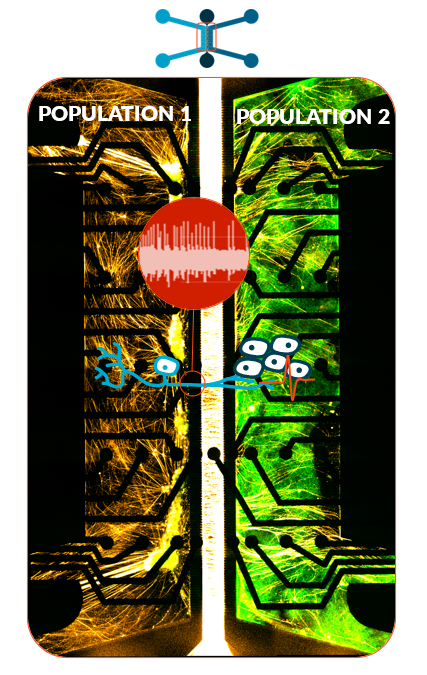
Thanks to microchannels connecting larger channels, you can effectively grow and connect different cell populations to neuronal cell types, while keeping them fluidically isolated. This means the only thing that travels between the compartments and influences cell population is the information carried by neuronal activity, which you can now record with NeuroFluidics™ MEA.
NETRI NEUROFLUIDICS™ MEA ARCHITECTURES & ELECTRODE MAPS.
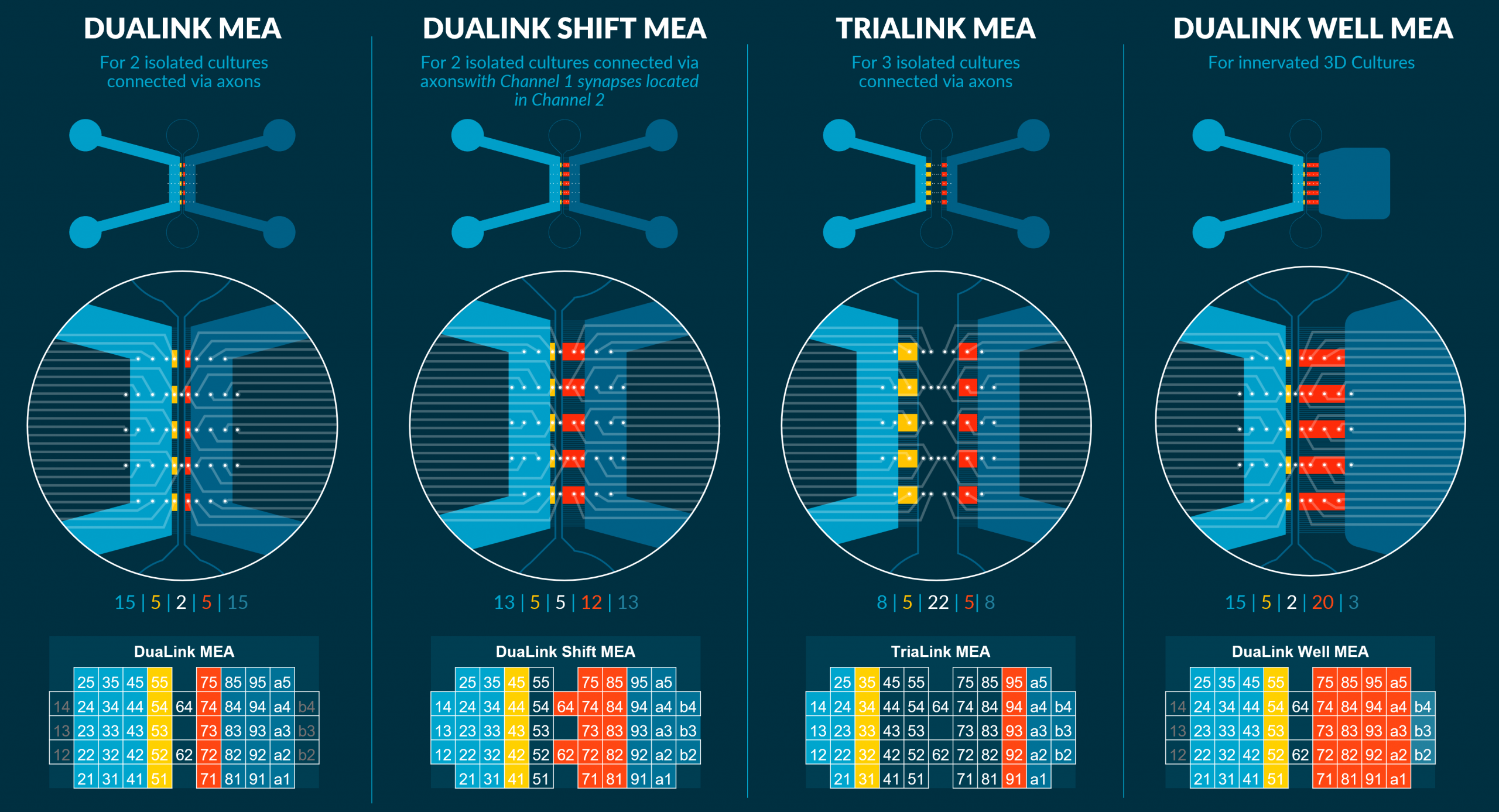
NETRI provides 4 NeuroFluidics™ MEA Architectures, that can be used to suit your different experimental needs. They share the same electrode pattern, but this pattern lands differently depending on the architecture. UpLink+ recognizes these differences when calculating metrics
UPLINK+ WORKFLOW.
Below is the standard step by step workflow you can use with UpLink+ :
Though not manadatory, this step removes the need for manually creating these two files that UpLink+ needs to compute the compartmentalized metrics.
Enabling spike sorting will let you compute unit-based metrics, both at the average and unit-level. If you want electrode-based metrics (standard Axion level), uncheck this option.
The spike sorting option in UpLink+ requires the waveforms contained in the SPK file along withg the spike list CVS file. UpLink+'s uploader will check that 2 files (one SPK and one CVS) with the same name form a pair before proceeding. If you un-check the spike sorting option, you only need to upload CVS spike list files
You can upload as many pairs as you want to create your batch.
The name of your batch will also be the name of each file you selected to generate in the export options.
When clicking Download, a ZIP file with you batch name will download to your Download folder. The ZIP file will contain all your selected export files, with the same batch name.
DATA PRIVACY.
NETRI respects your data privacy. NETRI does not use your recording data and only retains the files long enough for you to download them or re-use them should an error occur. NETRI automatically deletes your recording data after 24h, though you can delete as soon as you want. NETRI only retains NeoBento serial numbers, Processing dates and UpLink and Axis parameter settings to better serve you in the future.